
School Technology: What Educators Should Know

Technology in a learning space should support instruction without forcing teachers to think about the equipment behind it. When educators can present content or bring in a remote participant without interrupting the lesson, the technology is doing its job. For schools considering classroom AV systems in Tampa, Pro Audio Services designs integrated environments around how educators actually teach and how students interact with the room.
When the technology works naturally in the background, teachers can focus more attention on instruction and student participation. Read on to learn what educators should know about classroom AV systems and how thoughtful planning can make the technology easier to use.
What equipment does a modern learning space need?
There’s no universal equipment package for every teaching environment. Room size affects display choice, while the way instructors present content influences how sound should reach students. A lecture-focused space will also require a different approach from a flexible room built for discussion.
Sightlines & clear speech
Students should be able to read presented material comfortably from their seats. Speech should also remain intelligible throughout the room without requiring an instructor to raise their voice.
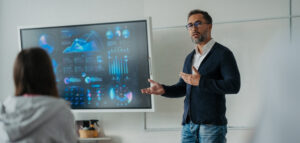 A typical setup may include:
- A commercial display or projector.
- Properly placed loudspeakers.
- An instructor microphone.
- Reliable source connections.
- A straightforward control interface.
- Network access where needed.
The individual components matter, but their coordination matters more. A teacher shouldn’t have to operate several devices separately just to begin a lesson. When displays, audio, and sources work together, one interface can simplify room control by putting the actions teachers use most in one place.
Plan for remote participation before installation
If remote learners or guest presenters are part of the teaching model, that requirement should shape the design early. Camera position needs to provide a useful view of the speaker, while microphone coverage should allow people on the far end to follow discussion clearly.
In any space that supports virtual participation, remote collaboration works best with coordinated media design rather than separate audio and video tools that teachers have to manage independently.
Accessibility belongs in the same planning stage. Building accessible technology into the room from the beginning gives schools a stronger foundation for captions and assistive listening while supporting broader accommodation needs.
How do you make teaching technology easy for educators to use?
Ease of use has to be considered during design, not after installation. A powerful setup loses value when teachers avoid certain features because the controls feel confusing or unpredictable.
Keep everyday actions obvious
Teachers should be able to enter the room and get started quickly. The control interface should use familiar language and place the most common functions where they’re easy to find.
Selecting a source or adjusting volume shouldn’t require several layers of menus. More advanced settings can remain available for technical staff without making daily operation harder for educators.
Create consistency across similar spaces
When teachers move between rooms, familiar controls reduce the learning curve. Keeping layouts and common functions consistent helps staff feel more confident using the technology without needing new instructions in every location.
Across a larger campus, shared infrastructure connects spaces more efficiently and gives technology teams a more consistent foundation for supporting multiple rooms.
Treat training as part of the project
Installation alone doesn’t prepare people to use new technology well. Before handoff, the finished setup should be tested under realistic teaching conditions so common actions behave the way educators expect.
Training should then focus on the tasks teachers perform regularly. Practical instruction gives educators the confidence to begin a presentation and handle routine changes without turning them into technicians.
Professional integration also makes long-term support easier. Good documentation gives support teams a clearer picture of how the environment was designed, while thoughtful equipment placement makes future maintenance less disruptive.
Who should I contact for professional classroom AV systems in Tampa?
 Pro Audio Services helps schools create teaching environments that feel intuitive from the first day of use. Rather than asking educators to adapt to complicated technology, our team develops each project around real instructional workflows and follows through with practical user training.
For campuses near Curtis Hixon Waterfront Park or elsewhere in the area, professional integration provides a more dependable experience for teachers while giving administrators a clearer path for future support.
Reach out today to discuss a technology solution designed around the way your educators teach!
